Marine
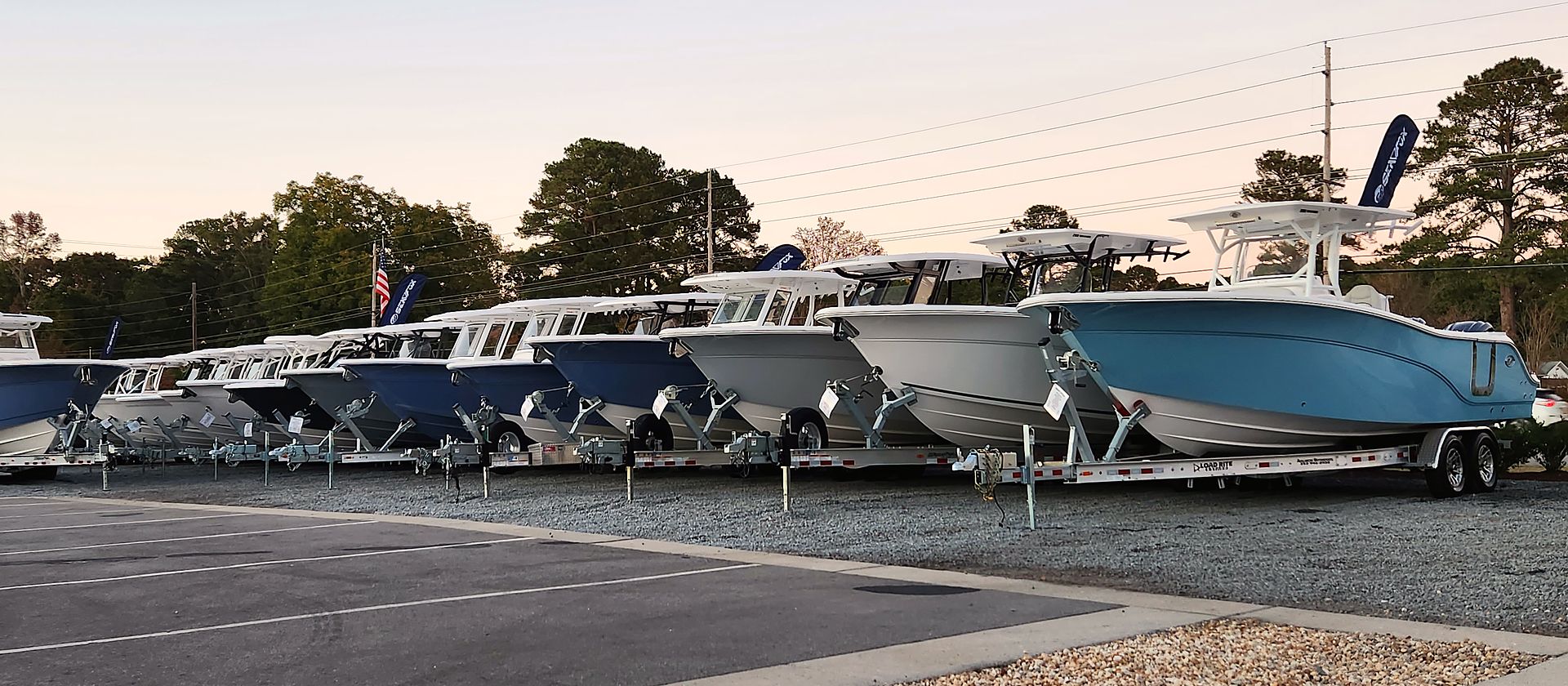
Boats, pontoons, and PWCs, including hull, motor, and trailer packages, marina inventory, and rigging or prep repair orders.
Pinnacle ONE for marine dealersPinnacle ONE DMS
Pinnacle ONE is a dealer management system for marine, powersports, RV, and recreational dealers, built for multiple locations and departments. Sales, inventory, parts, service, accounting, your dealer website, and marketplace listings share the same records.
Built by dealers.
The platform
Work moves from the showroom to the shop to the books without retyping the same unit, customer, or dollar figure in a second tool. Pick a module to see what it handles, then jump to the details or watch it in a walkthrough.
Bring inventory and parts in with the included CSV templates, then keep working in Pinnacle ONE.
Help is available inside the system, next to the screens your team already uses.
Sales & Deals
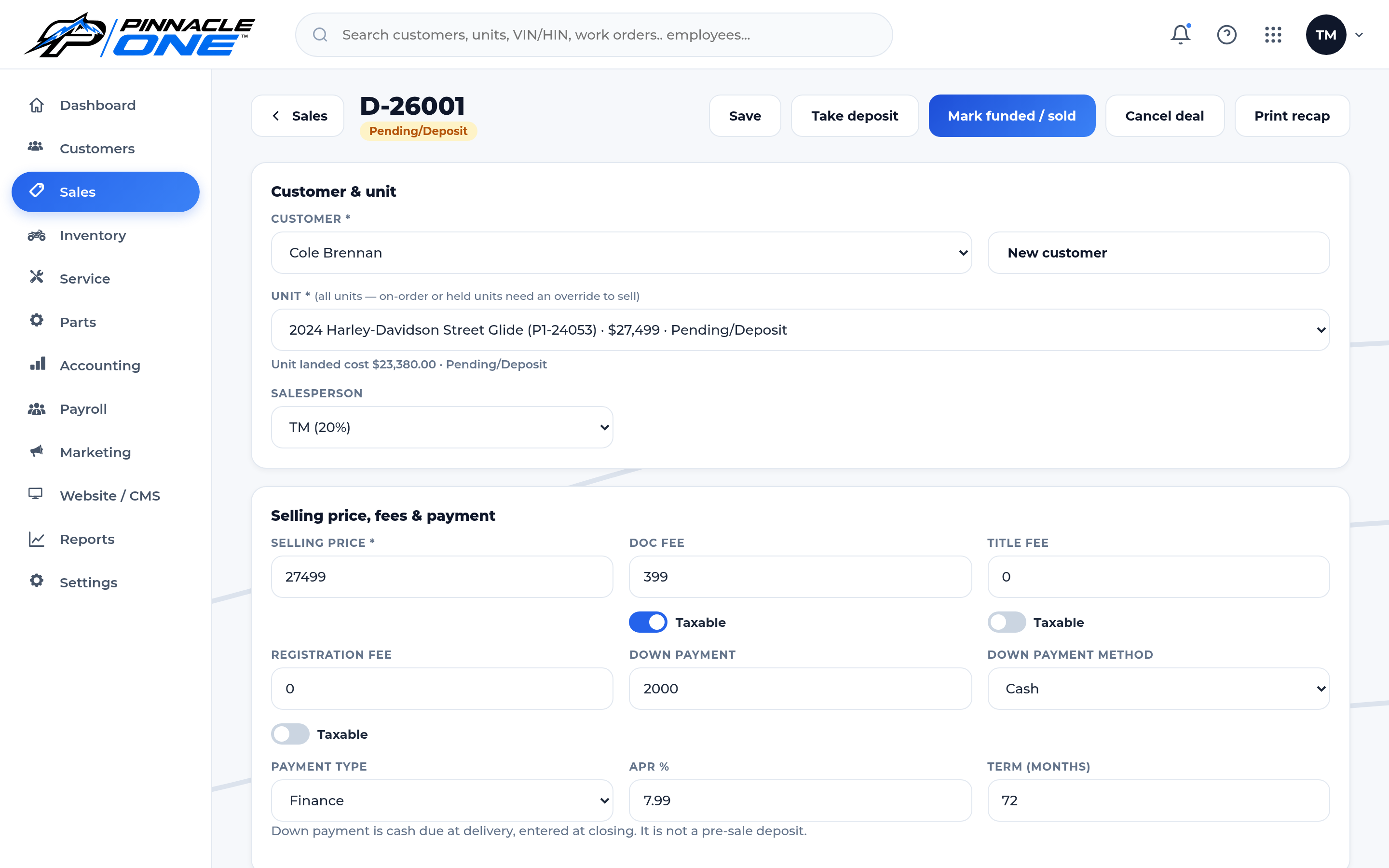
Start a quote, work numbers on the deal desk, take a deposit, and move the deal through funding and delivery without leaving the record. Customer and unit details stay attached to the deal as it changes stage.
Inventory
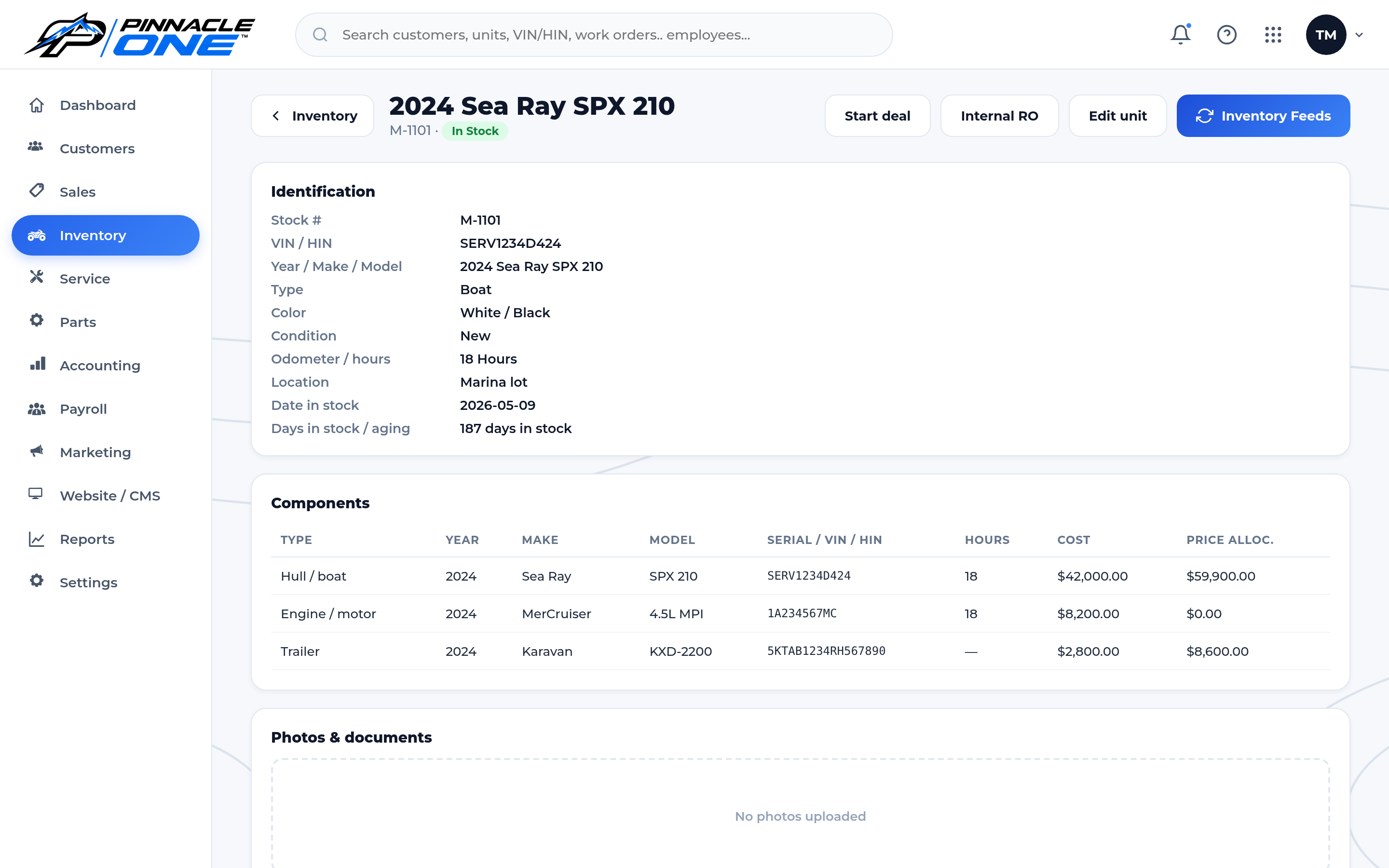
Keep new and used inventory in a single catalog — boats, powersports, RVs, and other recreational units. Attach photos, track days in stock, and publish a unit when it is ready to list.
Parts
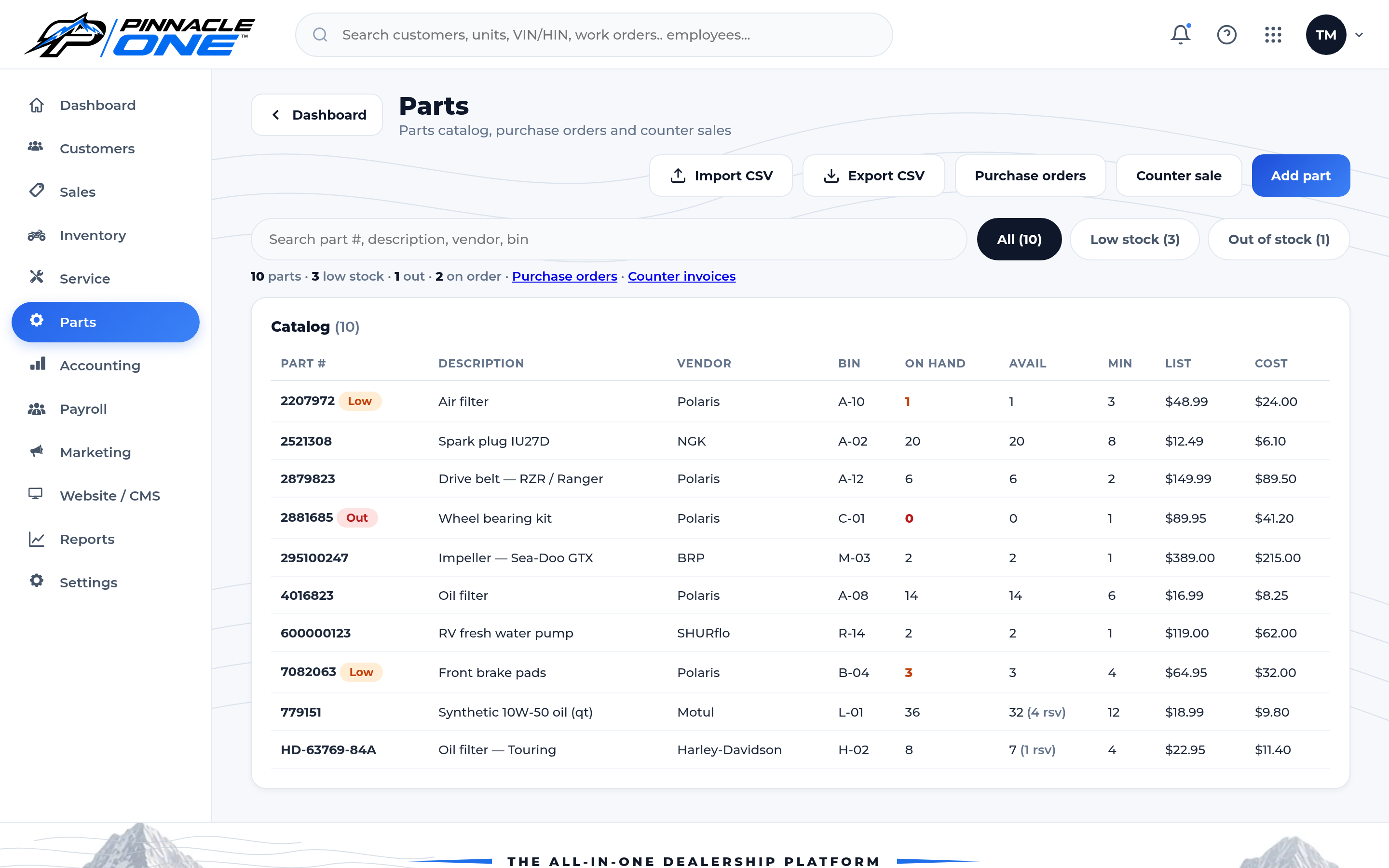
The parts counter and the shop share one catalog. Find a part quickly, raise a purchase order when you are short, and write a counter sale without leaving Pinnacle ONE.
Service
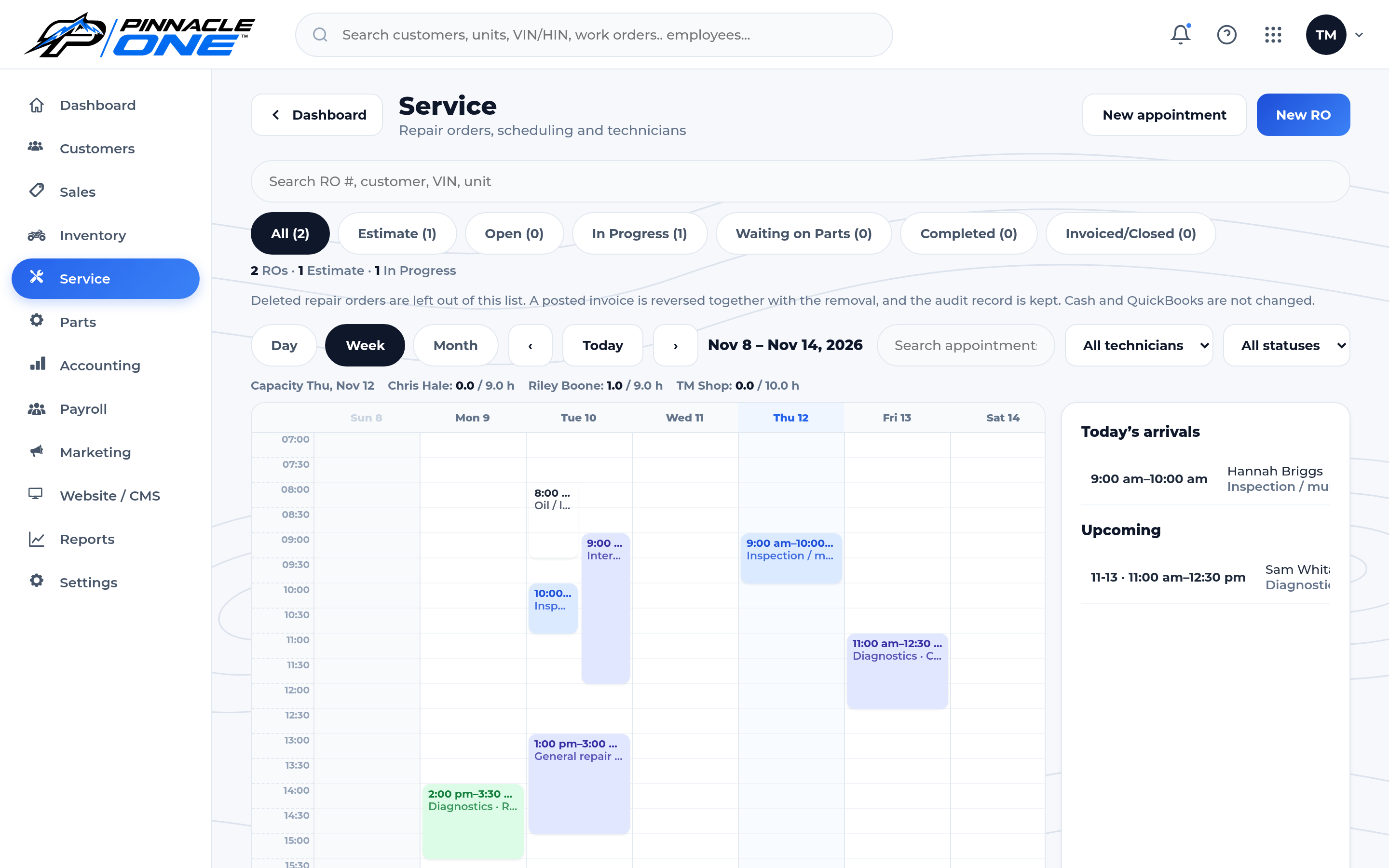
Open a repair order, assign technicians, and schedule the bay from the same service module. Internal work such as rigging and prep uses the same RO flow as customer jobs. Shop TV puts a live service board on any shop or showroom TV.
Accounting
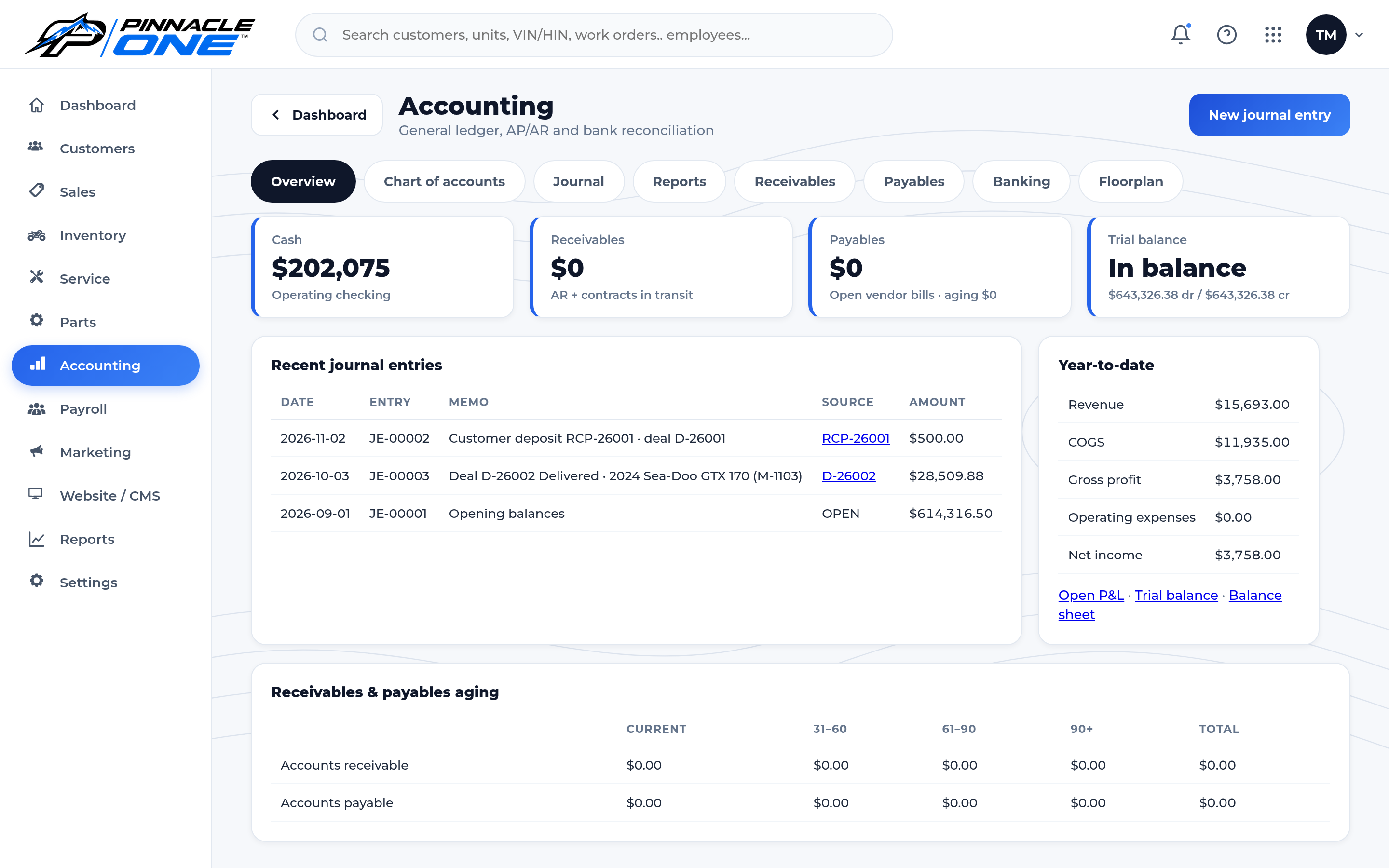
Sales, deposits, service work, and payroll post into a full general ledger so the office is not re-entering the same amounts in separate accounting software.
Dealer websites
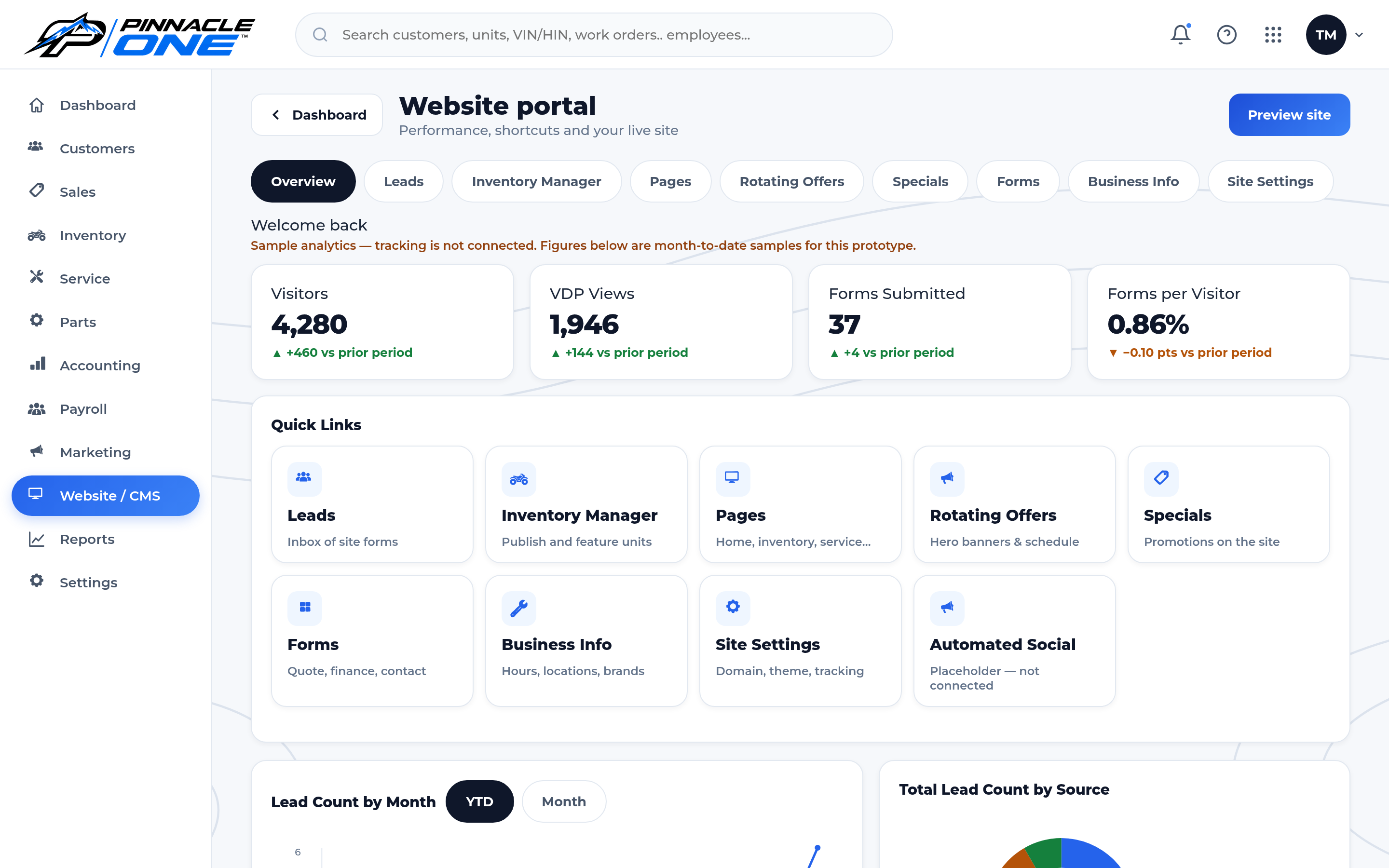
The dealer website is part of the same system. When you publish a unit in inventory, it syndicates automatically to the dealer website, with leads coming back into Pinnacle ONE.
Marketplaces
When a unit is published, it also feeds BoatClassifieds.com and PowersportsClassifieds.com automatically. An Inventory Feeds tab tracks those listings and sold status. You do not build a second listing from scratch for those marketplaces.
Marine inventory that you publish in Pinnacle ONE can syndicate to BoatClassifieds.com using the same unit record.
Powersports units can syndicate to PowersportsClassifieds.com when they are published, alongside your dealer website.
Who it is for
Pinnacle ONE is built for multiple locations and departments, for dealers in marine, powersports, RV, and other recreational lines. The same platform is used across those segments, with inventory types and workflows that fit the unit you are selling or servicing.
Boats, pontoons, and PWCs, including hull, motor, and trailer packages, marina inventory, and rigging or prep repair orders.
Pinnacle ONE for marine dealersUTVs, ATVs, motorcycles, and related units, with parts, service, and listings that can syndicate to PowersportsClassifieds.com.
Pinnacle ONE for powersports dealersTravel trailers, motorhomes, and related stock, with sales, service, and parts on the same customer and unit records.
Pinnacle ONE for RV dealersOther recreational lines a dealer may carry, in the same system used for marine, powersports, and RV.
Walkthroughs
Eight tours recorded from the sample demo, not a live customer store. Each one walks through a real operation at a human pace, from about a minute to three and a half minutes.
These recordings use sample demo data. Captions are already on screen in each video.
Pinnacle ONE opens on the home screen, one module per department. The header search filters inventory, customers, sales, service, or parts. Here, it filters Inventory. Open a unit record to see stock, price, and the package on one page. Customers keeps leads and buyers together. Open a customer record to see contact details, deals, and service history.
Sales tracks deals by stage. Open a deal to see the customer, unit, price, and status on the deal desk. Service shows the shop calendar and repair orders together. Open a repair order to see the unit, jobs, and authorization. Parts serves the counter and the shop. Open a part record to see on-hand quantity, bin, and pricing.
Accounting runs the ledger and banking. Open a journal entry to see how a deposit or deal posted. Payroll keeps employee records, time, and pay runs. Open an employee record to see job and pay details. Marketing holds campaign drafts and audiences. This demo doesn't send messages. Open a campaign draft to see the audience and status.
The dealer website is managed in the same system. Open a website page record to see the page and its status. Reports has saved views for each department. Open a saved report to see the figures and settings. Settings holds the admin pages. Open Users and Roles to see who can work in the system.
That's every module, from the same home screen.
Start on the home screen, then open Customers to add a new buyer. Enter the customer's name, phone, and email. Add a city and state, then save the customer. The new customer is on file and can be used on a quote. Build a quote with the new customer and a unit from inventory. Add a trade, then set fees, tax, and the payment.
The quote calculates tax and a monthly payment from the term and rate. Saving the form creates a quote and assigns a deal number. The deal desk keeps the customer, unit, fees, and payment together. Take a deposit to hold the unit. This is not the down payment. After a deposit, the system can offer a rigging and prep order.
We'll save that for the service tour. The quote now has a deposit on file, and the deal status updates to show it. If that hold has to come off, Refund returns the deposit to the customer from this card. Forfeit records it as income instead. Either way, the ledger is updated from the same deal.
Open Inventory to add a marine package as one unit. Set the industry to Marine and enter the hull. Add the motor and the trailer as components on the same record. Package pricing is the unit price plus freight and the amount allocated to each component. Add photos to the unit. The first photo is used first on the website and in feeds.
The new package is now in inventory as a single unit, with the hull, motor, and trailer attached.
Open Service to write a repair order for a customer unit. Select the customer and the unit they brought in. Add a labor operation to the ticket. Add a part from the catalog with the parts picker. Save the repair order and open it so the shop can work the ticket. Create an internal rigging and prep order on a stock unit.
Schedule the work on the shop calendar. Appointments sit on the calendar, next to the repair-order list. Move the repair order through its status, then invoice and close it if that step is available.
Open Inventory and add a unit that is not on the website yet. Publishing is set on the unit. Leave the website off until the record is ready. Turn on the dealer website and the feeds you want, then save. The website Inventory Manager shows the same unit, with a Publish switch and the marketplace feeds column.
Inventory feeds use the same unit record. This demo lists the Pinnacle website plus feeds such as BoatTrader, CycleTrader, and Facebook Marketplace. Listed-on badges on the inventory list show which channels the unit is on.
Open Parts to work from the same catalog at the counter and in the shop. Open a part record to see on-hand quantity, bin, cost, and list price. Write a counter sale for a walk-in customer or someone already on file. Add a stocked part with the parts picker, then review the ticket total.
Save the ticket, then complete the sale if that step is on the screen. Purchase orders cover inbound stock for the same catalog. The part, the counter ticket, and the purchase order all point at the same inventory. If that sale needs to come back, open the invoice and use Return. A refund can go to the original tender or to store credit, against the same receipt.
Open Accounting from the home screen. Cash, receivables, payables, and the trial balance are on one overview. Receivables include accounts receivable and contracts in transit. Aging for receivables and payables is on the same page. Open the chart of accounts to see the clearing accounts: contracts in transit, customer deposits, refunds payable, floorplan payable, and undeposited funds.
Floorplan payable is tracked on its own tab, with curtailments and payoffs against the same liability. The journal lists what already posted. Open a deposit or a delivered deal to see those lines, including F&I contracts payable on a closed deal. When a deal is financed, the amount still due posts to contracts in transit until the lender pays.
A cash deal posts that remainder to accounts receivable. You can also enter a general journal entry by hand. Debits have to equal credits before it will post. Cash, check, and ACH receipts wait in Undeposited Funds. Select them, assign a slip number, and deposit them to the bank. Write a check from the same account, with a payee and distribution lines.
It waits in the print queue to be printed. If a deposit has to come back, refund it from the deal desk. Accounting can also record the payout, or write a refund check against refunds payable. Import the bank statement as a CSV, match it to the register, and finish the reconciliation when the difference is zero.
A live bank feed is integration-ready, not connected in this build. Reports include the trial balance, profit and loss, and balance sheet. The books, payroll, and customers all live in Pinnacle ONE, with no separate accounting software.
Open Inventory and add a unit. This sample is a center console boat. Marine listing fields include hull material, engine, and transom deadrise. Show MSRP and Show VIN can be set on the unit, or left on the feed default. Add photos, then move them into order. The first photo is the primary image.
Marine units list on BoatClassifieds. Other units, like this UTV, list on PowersportsClassifieds. The Inventory Feeds tab shows both marketplaces. They are always on for every dealer. The boat shows up on BoatClassifieds with its photos, specs, and price. The UTV lists on PowersportsClassifieds the same way.
When the unit is sold or delivered, the listing is marked sold. After the three-day sold window, it drops off the feed.
Why Pinnacle ONE
We built Pinnacle ONE after years of running high-volume recreational dealerships, because the systems we had kept falling short. The product is shaped by the work of running a store: writing deals, building marine packages, feeding the shop, and keeping the books in order.
The same customer and unit move from quote to inventory to service to accounting, so staff are not re-keying what another desk already entered.
Hull-motor-trailer packages, rigging and prep ROs, deposits, and marketplace syndication are part of the system because they are part of the business.
Pinnacle ONE is built for multiple locations and departments, with Help and import templates included as you get started.
Getting started
We plan the move with you, department by department, so the store keeps running while the switch happens. Our goal is to have your dealership live in about two weeks.
Inventory, parts, and customers come in by CSV, using the standard Pinnacle ONE templates or the “Genius” CSV import. You check the results in the system before you switch over.
Remote, live training for each department. Sales, parts, service, and the office each learn the screens they use every day.
Pick a cutover date with us. From that day, deals, repair orders, parts tickets, and the books run in Pinnacle ONE.
Built-in Help sits next to the screens your team uses, and you can reach us any time at info@pinnacleonedms.com.
Work from anywhere
Sign in from a web browser at the office, on the showroom floor, or in the shop. There is no server to keep in a back room.
Works from any computer with a modern browser, at the front desk, the parts counter, or the shop office.
Connections to Pinnacle ONE are encrypted, and each user sees only what their role allows.
Your data is backed up on a regular schedule, and a manager can export a versioned backup whenever they want one.
Pinnacle ONE staff app for Android and iPhone
Store links coming soon
FAQ
Straight answers on cost, setup, and how the system handles your books and your data. Don’t see your question? Email info@pinnacleonedms.com.
The first seat is $999 per month, and each additional seat is $299 per month, billed month to month with no contract. See Pricing for what is included and for classifieds pricing for Pinnacle ONE dealers. Request a demo or email info@pinnacleonedms.com.
Most of the time goes into bringing your data over and training each department. We give you a plan with dates at the start, and our goal is to have you live in about two weeks. See Getting started for the steps.
Yes. Pinnacle ONE is built for multiple locations and departments. Locations, hours, and departments are set in the dealership profile, and each user’s access is set by role. Seats are per location. Each separate dealership location needs its own Pinnacle ONE subscription, because location drives that location’s preloaded title work and withholdings.
The books are built in. Deals, deposits, repair orders, parts sales, and payroll post to a full general ledger inside Pinnacle ONE, with payables, receivables, checks, bank reconciliation, and financial statements. There is no second accounting system to keep in sync. An outside accountant can be given access limited to accounting.
Pinnacle ONE runs in the cloud, and connections to it are encrypted. Each user’s access is set by role, and an audit log records settings, role, import, and financial activity. Your data is backed up on a regular schedule, and a manager can export a versioned backup at any time.
Marine, powersports, RV, and other recreational dealers, from a single store to several locations. See how it fits marine, powersports, and RV dealers.
Yes, by CSV. Inventory, parts, and customers can come in with the standard Pinnacle ONE CSV templates, or with the “Genius” CSV import: a fluid template format that learns each provider’s file layout, so repeat imports map themselves. A customer import can be previewed, committed, and undone.
Request a demo
Tell us about your store and the lines you carry. We will follow up to schedule a walkthrough of the modules that matter to you.
Prefer to look first? The walkthroughs above outline the tour. Dealer sign-in for existing users is at the top of the page.
You can also email info@pinnacleonedms.com to request a demo.
A message to info@pinnacleonedms.com is ready with your details and the subject “Pinnacle ONE demo request.” Send it from your mail app to reach our team. If the window did not open, email that address with the same information.

We built Pinnacle ONE after years of running high-volume recreational dealerships, because the systems we had kept falling short.
Contact: info@pinnacleonedms.com